
 Additional settings for Safari Browser.


Veracross
Veracross: Empowering Engagement

-
Login Required. Veracross Account Access: Support@uha-ky.org
-
Magnus Health Customer Support: service@magnushealthportal.com or (919) 502-7689
UHA portals are powered by Veracross, a premier software solution for independent schools. The UHA Veracross Parent Portal is a personalized, dynamic hub designed to be your primary source of UHA information regarding your child(ren). Our Parent/Incoming Parent Portals include:
-
Upcoming events calendar (7-day view)
-
My Children – view of schedule, attendance, and reports
-
myUHA Quick Links
-
Single Sign On (SSO) to Magnus Health, our digital student health management system
-
Links to other systems used by UHA
-
Veracross Quick Links into Household Profile Updates (includes managing Directory Preferences), Re-enrollment, Student Billing, and Admissions Portal
-
Student, Household, and Faculty/Staff directories
-
Email archive that includes all UHA emails sent via Veracross in one centralized location
Veracross FAQs
-
Click the portal button above or go toUHA Parent Portal then enter your username and password. If you forgot your login information, click the “Can’t access your account?” link to generate a password reset email.
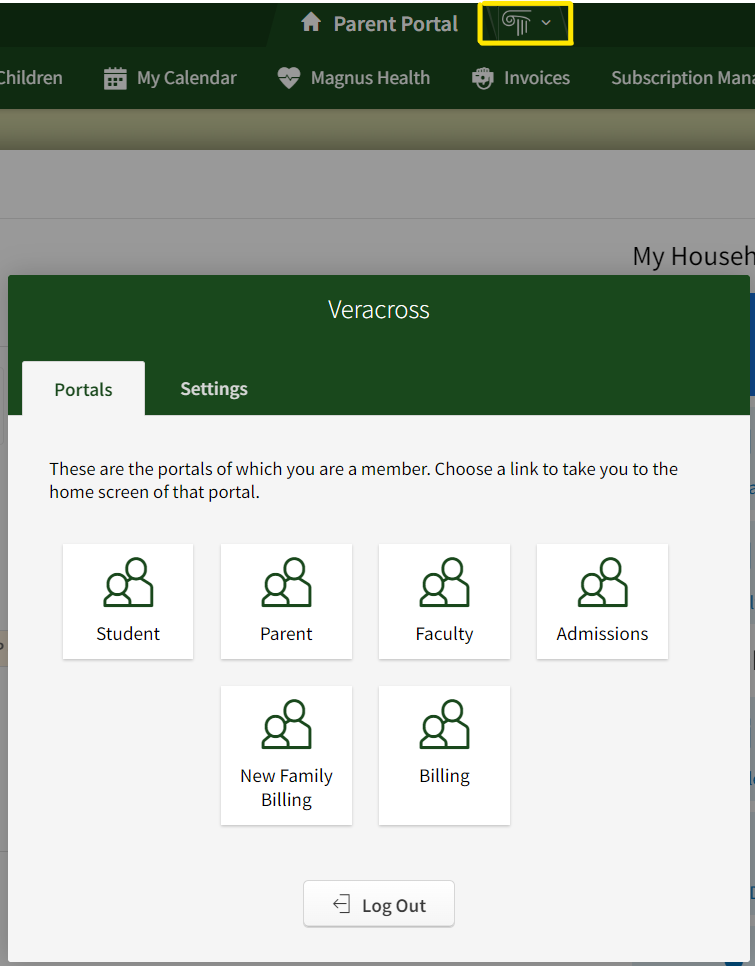
To switch between your Veracross Portals, click on the Greek column in the header (in the gold box below) to view your other portal choices.
-
-
Access a Veracross Portal.
-
Click on your initials on the upper-right.
-
Click on the "Change Password" link and follow the instructions.
Important! Do not to share your log-on information with anyone!
-
-
Once you're logged into your portal, click Update Household Profile. This allows you to update information, and add contacts and pickup authorizations.
Everyone should review their information each summer and update their information as changes occur during the school year.
-
No, but Veracross portals are responsive to mobile devices and are available via a web browser. Open UHA Portal on your mobile device to access your portal.
You can create a shortcut on your mobile phone from the portal page to make it quick and simple to access on your mobile device. See the instructions below.
On iOS:
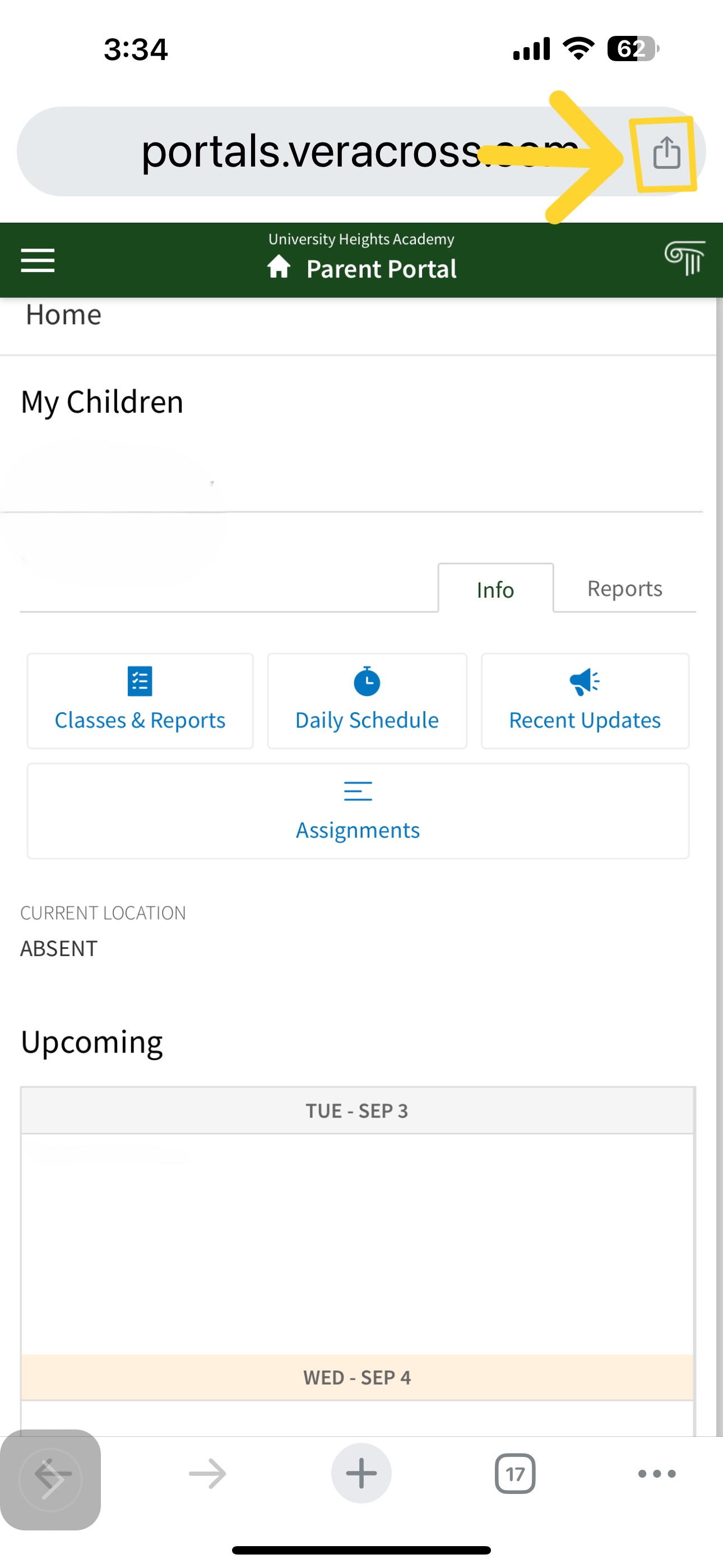
1. Navigate to UHA Portal on your mobile device. Select the Share icon.

-
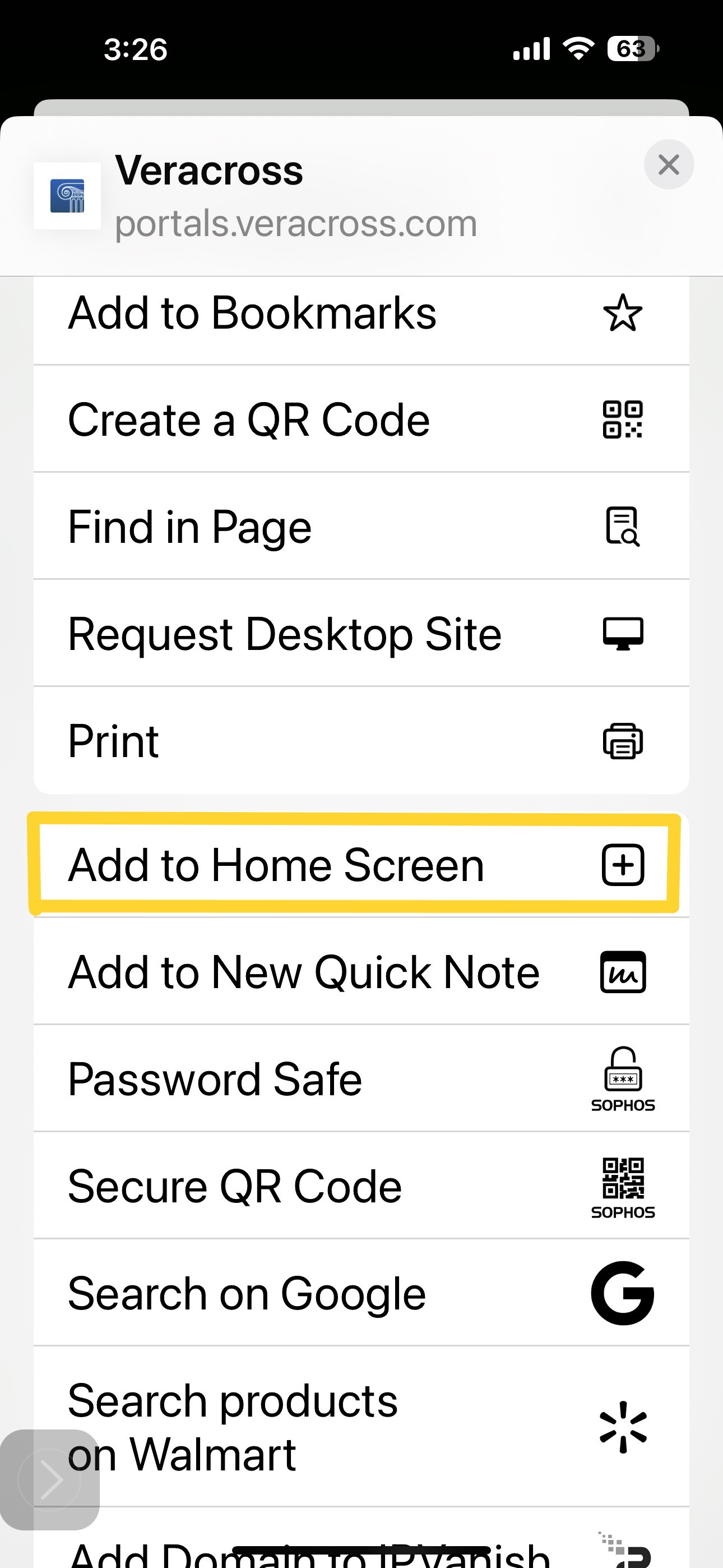
Click on the option: Add to Home Screen +
-
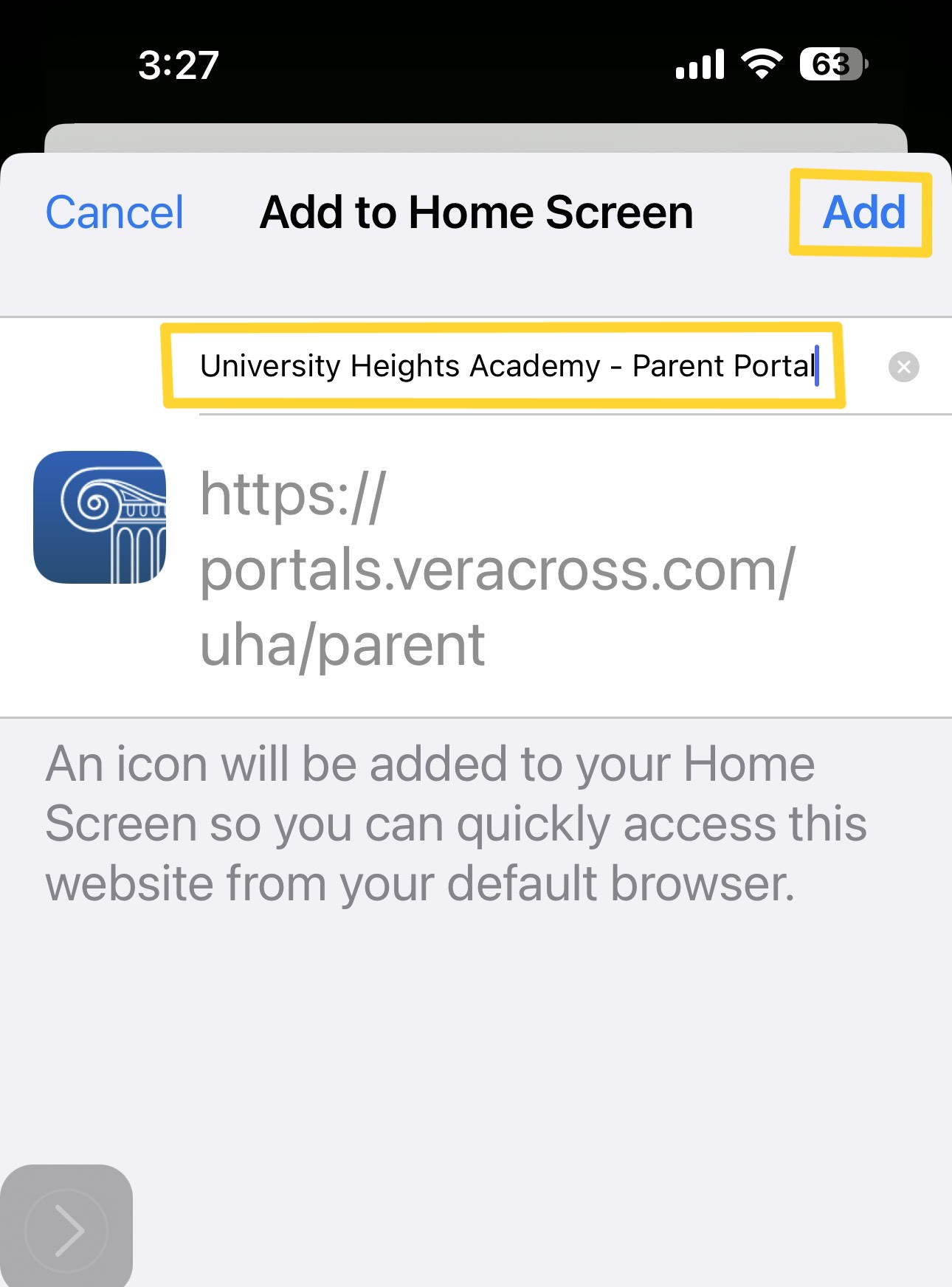
Name the Shortcut: Something short is recommended like "Parent Portal" and then select Add.
-
Finished.
-
-